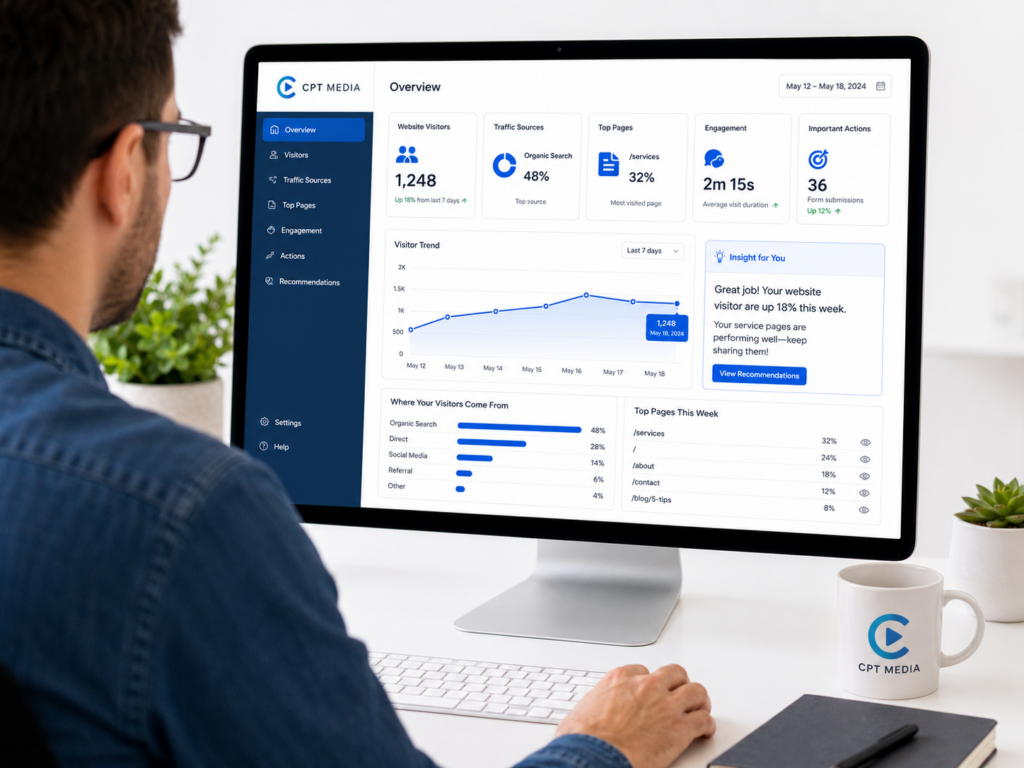
3. What website traffic actually tells you
Traffic is often the first number people look at.
It is also one of the easiest numbers to misunderstand.
More website traffic can be positive.
It can also be irrelevant.
Imagine one month brings 1,000 visitors and the next brings 1,500.
That sounds like improvement.
But what if the additional 500 visitors arrived on an irrelevant article, left immediately and never viewed a service page?
Now compare that with a smaller increase of 100 visitors who arrived through searches directly related to your service and submitted enquiries.
The second scenario may be far more valuable.
Traffic tells you that people arrived.
It does not, by itself, tell you whether the right people arrived or whether the visit achieved anything useful.
That is why traffic should usually be interpreted alongside:
- where visitors came from,
- which pages they entered through,
- what they did,
- and whether they completed important actions.
4. What traffic sources tell you
Traffic source data helps answer:
How did people reach the website?
That might include organic search, paid advertising, social media, referrals from other websites, email campaigns or direct visits.
This becomes useful when you compare the source with what happened afterwards.
Suppose social media sends a large amount of traffic but very few visitors continue past the first page.
Organic search sends fewer visitors, but those visitors spend more time reading service pages and submit more enquiries.
That does not automatically mean social media is bad.
It tells you the two channels are currently producing different types of behaviour.
That gives you something to investigate.
Perhaps the social content is attracting the wrong audience.
Perhaps the landing page does not match the post.
Perhaps search visitors have stronger intent because they were already looking for the service.
Analytics helps you find the question.
It does not always give you the explanation automatically.
5. What your top pages can tell you
A list of your most visited pages can reveal which parts of the website attract attention.
But again, context matters.
A high-traffic article and a high-traffic contact page play different roles.
A blog article might be useful because it introduces new people to the business.
A service page might be valuable because it answers a commercial question.
A contact page may receive fewer views but sit much closer to an enquiry.
Rather than simply ranking pages from highest to lowest traffic, ask:
- What is this page supposed to do?
- How are people finding it?
- Where do they go next?
- Is the page supporting a useful action?
- Does the content match what visitors appear to be looking for?
This is where analytics starts connecting to website strategy.
The purpose is not to crown a “winning page”.
The purpose is to understand each page’s role.
6. What engagement means in GA4
Engagement is meant to give more context than a simple visit count.
Google currently defines an engaged session as a session that lasts longer than 10 seconds, has a key event, or has at least two page or screen views. Google’s Engagement overview documentation
That makes engagement useful as a directional signal.
It still needs interpretation.
A low engagement rate on a long educational article may suggest the content is not holding attention.
But a short contact page may allow someone to find the phone number they need very quickly.
The same number can mean different things on different pages.
Analytics should therefore be read alongside the purpose of the page.
Numbers do not understand your business model for you.
7. What events and key events tell you
GA4 is event-based.
An event records an interaction or occurrence on the website.
Google’s Events report shows how often events are triggered and how many users trigger them. Google’s Events report documentation
Some events may be automatically collected.
Others can be configured around the website’s specific needs.
The more important distinction is between a normal event and a key event.
A key event represents an action that matters to the business.
Depending on the website, that could be something such as:
- submitting an enquiry form,
- completing a purchase,
- booking an appointment,
- requesting a quote,
- or another action that has been deliberately configured as important.
This is one of the reasons a raw traffic number is not enough.
If you want analytics to help measure business outcomes, the important actions need to be tracked properly.
Otherwise you may know how many people visited without knowing how many did the thing the website was built to encourage.
8. Google Analytics and Search Console answer different questions
Google Analytics is not the only useful source of website data.
For businesses that care about appearing in Google Search, Google Search Console provides a different view.
Search Console’s Performance reports can show:
- impressions — how often a link to your site was shown on Google,
- clicks — how often someone clicked through to your site,
- click-through rate,
- and average position in Google Search.
Google documents those metrics directly in its Search Console guidance. Google’s explanation of Search Console clicks, impressions and position
The distinction is useful:
Search Console helps you understand what is happening in Google Search before someone reaches the website.
Google Analytics helps you understand what happens on the website after traffic arrives.
They complement one another.
The CPT Media Dashboard’s current analytics connection is based on Google Analytics 4 (GA4). Search Console remains a useful separate source when investigating organic search performance.
This is the problem the Plain-English Analytics section inside the CPT Media Dashboard is designed around.
The CPT Media Dashboard is a marketing dashboard for small businesses that connects four parts of routine marketing:
- Design Studio for creating branded graphics,
- Website Content (CMS) for routine website updates,
- Content Calendar for planning,
- and Plain-English Analytics for understanding performance.
CPT Media connects Google Analytics 4 during onboarding rather than expecting the business to start with a blank analytics setup.
The aim is not to replace Google Analytics with another complicated analytics product.
It is to make the information more approachable.
CPT Media describes the Plain-English Analytics section as a way to see how the website and content are performing in language a business owner can understand, with GA4 connected during onboarding and the full analytics dashboard included on Marketing Pro. See the CPT Media Dashboard features and plans
That positioning matters.
A small-business owner should not need to learn every GA4 report before being able to answer a basic question about the website.
10. Plain-English analytics still needs accurate tracking underneath it
Simplifying the presentation does not make tracking accuracy less important.
It makes it more important.
A dashboard can only explain the information it receives.
If the analytics installation is broken, important actions are not configured, internal traffic is distorting the numbers or tracking is incomplete, the explanation will still be based on incomplete data.
That is why analytics setup matters.
For example, if enquiry-form submissions are important to the business, they should be tracked appropriately rather than assuming every page visit has equal value.
Google’s own guidance explains that a meaningful action can be marked as a key event so it can be reported and evaluated across the channels that led users to perform it. Google’s key-event documentation
The simpler the report becomes, the more important it is that the underlying measurement has been configured deliberately.
11. How to read analytics without chasing vanity metrics
A vanity metric is not necessarily a useless metric.
It becomes a problem when the number looks impressive but does not help you make a decision.
Examples can include:
“We had 10,000 page views.”
Good.
From whom?
On which pages?
From which sources?
Did any of those visits support a meaningful business outcome?
“Traffic increased by 40%.”
Why?
Was there a campaign?
Did an article suddenly rank?
Was the traffic relevant?
What happened after those people arrived?
“People spent more time on the site.”
On which pages?
Was that because the content was useful, or because visitors struggled to find what they needed?
A metric becomes useful when it is connected to a question and a decision.
12. A practical analytics review for a small business
You do not need to inspect every report every morning.
A useful review can be much simpler.
First: look for meaningful changes
Has traffic moved significantly compared with the previous period?
Do not panic over normal day-to-day variation.
Look for patterns worth investigating.
Second: see where traffic came from
Which channels or sources brought visitors?
Did anything change compared with the previous period?
Third: look at the pages receiving attention
Which landing pages and content attracted people?
Are the pages commercially important, educational, seasonal or unexpected?
Fourth: review engagement
Are visitors interacting with the pages as expected?
Which pages may need attention?
Fifth: review important actions
If key events have been configured, did people complete the actions that matter?
Finally: choose one useful next action
This is the part most analytics reports leave to you.
The next action might be:
- improve a page that receives traffic but does not guide users clearly,
- create more content around a topic attracting relevant visitors,
- update a weak service page,
- change the content plan,
- investigate a traffic source,
- or improve tracking before drawing conclusions.
One useful action is worth more than twenty charts nobody uses.
13. Analytics connects directly back to your content calendar
In the previous article, Content Calendar for Small Business: How to Plan What to Post, we looked at moving content planning out of scattered messages and last-minute decisions.
Analytics gives that planning process feedback.
Suppose an educational article repeatedly attracts relevant search traffic.
That may justify planning follow-up content around the same subject.
Suppose a campaign sends visitors to a page but those visitors do not continue to the intended next step.
That may suggest the page or the message needs work before repeating the campaign.
Suppose a service page begins receiving more attention after an update.
That is something worth monitoring and learning from.
The calendar tells you what you intended to do.
Analytics helps show what happened afterwards.
14. Analytics also connects back to your website content
The second article in this series, How to Update Your Website Without a Developer, explained the difference between routine content management and actual development work.
Analytics can help identify where those routine updates deserve attention.
For example:
A service page receives visitors but the information is outdated.
An article attracts search traffic but does not link clearly to the next useful page.
A landing page receives campaign traffic but the offer is unclear.
The data does not make the edit for you.
It gives you evidence for deciding where an edit may be worthwhile.
Then the CMS becomes the tool for making that routine change.
15. And analytics eventually leads back to creating content
This is where the four-part system completes its circle.
The first article, How to Create Branded Social Media Posts Without a Designer, started with content creation.
At that point, we had not yet measured anything.
Now the workflow has gone through all four parts:
Design Studio → Create
Website Content → Update
Content Calendar → Plan
Plain-English Analytics → Measure and understand
The analytics stage should influence what happens next.
If a topic is attracting the right audience, create more useful content around it.
If a service page needs clearer supporting graphics, update the creative.
If a campaign underperformed, adjust the message rather than blindly repeating it.
If a particular page is working well, look at what can be learned from it.
And then the cycle starts again.
16. Understanding website analytics is about making better decisions
To understand website analytics, you do not need to memorise every GA4 metric.
You need enough context to turn the data into a useful question and then into an action.
That is the purpose of the final part of the CPT Media Dashboard.
The complete workflow is:
Create → Update → Plan → Measure → Improve → Create again
The four tools are connected because the marketing work itself is connected.
You create something.
You make sure the website supports it.
You plan when it should happen.
You measure the result.
Then you use what you learned to decide what comes next.
That is a far more useful role for analytics than simply reporting that traffic went up or down.
And because the cycle now returns to content creation, the next useful read is where this series began:
How to Create Branded Social Media Posts Without a Designer