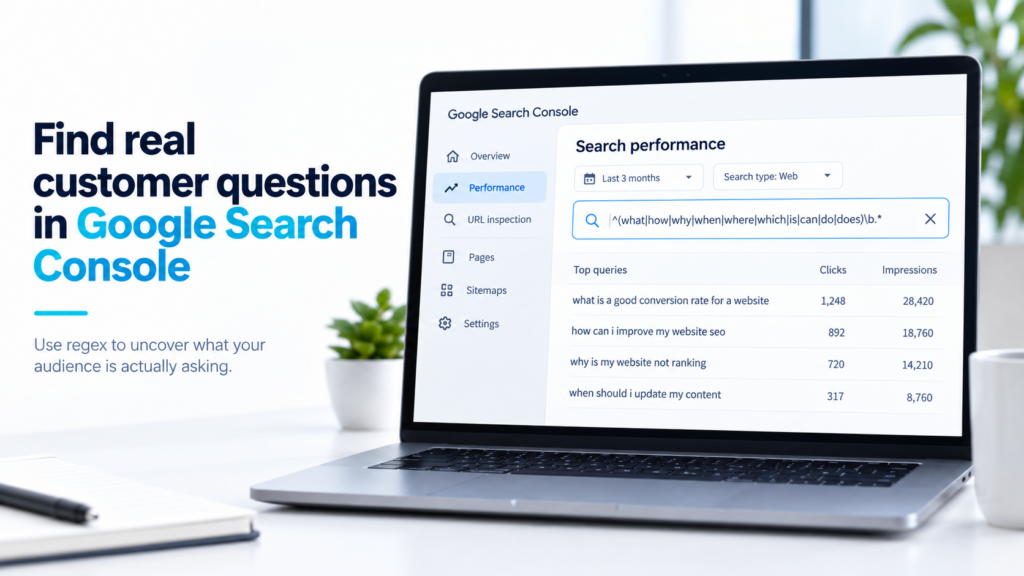
Why longer question-style queries can be useful
A broad keyword tells you the topic.
A longer query can tell you the problem.
Consider the difference between:
website design
and:
how much does a website cost in south africa
The first could mean almost anything.
The second gives you a much clearer content brief. The person wants pricing information, probably wants local context and may be comparing website providers.
The same applies to queries such as:
why is my website not generating leads
how can marketing update a website without developers
what should a small business website include
These searches can reveal:
- customer questions,
- objections,
- frustrations,
- buying concerns,
- gaps in your existing content,
- and topics Google is already connecting to your site.
That does not mean every query deserves an article.
It means you now have real data to investigate instead of starting from a blank page.
How the regex works, without turning this into a coding lesson
You do not need to understand regex to use the filter, but knowing what it is doing helps you interpret the results properly.
Here is the filter again:
^(\S+\s+)*(who|what|when|where|why|how|which|can|do|does|did|is|are|should|will)\b(\s+\S+){4,}$
^
This means start at the beginning of the query.
(\S+\s+)*
This allows zero or more words to appear before the question word.
That matters because people do not always begin a search with how, what or why.
A search could be:
website design how much does it cost
rather than:
how much does website design cost
(who|what|when|where|why|how|which|can|do|does|did|is|are|should|will)
This is the list of words we want the filter to look for.
The vertical bars mean or.
So Search Console can match what or why or how or any of the other words in that group.
\b
This creates a word boundary.
It helps make sure the filter is matching the actual word rather than the same letters appearing inside another word.
(\s+\S+){4,}
This requires at least four more words after the question word.
That is intentional.
We are trying to reduce the number of short, vague queries and push the results toward longer searches that give us more context.
$
This means end of the query.
Together, ^ and $ make the regex evaluate the whole search query.
Google states that Search Console regex matching is case-insensitive by default, so you do not need separate versions for How, HOW and how.
We use this method on our own Search Console data.
One of the queries the filter surfaced was:
what does SEO cost in South Africa 2026
CPT Media was already receiving impressions for that search even though we did not yet have a dedicated article answering it.
That gave us a useful signal.
Google was already making some connection between our website and that topic.
We then looked at the intent behind the query and created a dedicated guide answering the pricing question directly.
You can read that article here:
What Does SEO Cost in South Africa in 2026?
The important part is not that a regex produced an article title.
The important part is that Search Console showed us a question Google was already associating with the website, and we used that signal to make a better content decision.
What should you look at after running the filter?
Do not choose the first query with the most impressions.
Look at each promising search in context.
1. Is the query relevant to your business?
This is the first filter.
If the question has nothing to do with what you sell, who you help or what your website is supposed to cover, ignore it.
An impression is not automatically an opportunity.
2. Does it already have impressions?
An impression means your site appeared in Google Search for that query.
Google defines an impression as an occasion where a user saw, or in some result types could see, a link or content from your site in Search.
If a useful query is already getting impressions, it can be worth investigating because Google is already showing your site for it.
3. Is it getting clicks?
Clicks tell you whether people are actually choosing your result.
A query with impressions but very few clicks may point to several possibilities.
Your position may still be too low.
Your title may not look relevant enough.
Your existing page may only partially answer the query.
Or the query may simply not be commercially useful.
Do not diagnose the problem from CTR alone.
4. What is the average position?
Average position helps you understand roughly where your highest result appeared across the impressions recorded for that query.
Google warns that average position is a more complex metric than simply “this page ranks number 8”, because it is averaged across searches and can vary by location, device and result type. Google explains clicks, impressions and position here.
Use position as a prioritisation signal, not as an absolute ranking guarantee.
A relevant query sitting around positions 8 to 20 can be particularly interesting because your site may already be close enough to improve with stronger content.
Before creating a new article, check which page Google is already showing
This is one of the most important steps.
Click the query inside Search Console.
Once that query is active as a filter, switch from Queries to Pages.
Now you can see which page or pages are appearing for that search.
This changes the decision.
If you already have the right page
Improve it.
You may need to:
- answer the query more directly,
- add a missing section,
- improve the title,
- strengthen internal links,
- clarify the page structure,
- or update outdated information.
Creating another article about the same thing can split your effort between two similar pages.
If the existing page only touches the topic
Decide whether the question deserves its own page or whether the current page can answer it properly with an additional section.
Not every query needs a full article.
Sometimes one useful H2 and a clear answer is enough.
If you have no relevant page
Now you may have a genuine content gap.
That is when a new article becomes more reasonable.
The decision is based on the query, the intent and the existing website, not just the fact that the regex found something.
A simple decision framework
When you find a useful question, choose one of four actions.
Improve
Use this when you already have a relevant page but the answer is weak, incomplete or difficult to find.
Expand
Use this when the existing page is good but needs a new section, FAQ or supporting explanation.
Create
Use this when the query deserves a substantial answer and no existing page properly covers it.
Ignore
Use this when the query is irrelevant, too ambiguous or does not support your business or content strategy.
This simple check can stop you from creating articles just for the sake of publishing.
Search Console does not show every query
This method has limitations.
Google omits some queries from Search Console to protect user privacy. Google calls these anonymized queries.
Search Console also applies data limits to the query table, so not every rare or long-tail query will necessarily appear.
Google specifically notes that filtering by query can change report totals because anonymized queries are left out once a query filter is applied. Read Google’s explanation of Search Console query data and limitations.
That means this regex does not show every question people have ever searched.
It shows useful matches from the query data Search Console makes available to you.
That is still valuable, as long as you understand the limitation.
How often should you run this filter?
You do not need to check it every day.
For many small business websites, reviewing it once a month is enough.
A simple routine could be:
- Set Search Console to the last three months.
- Apply the regex filter.
- Look for relevant queries with impressions.
- Click promising queries and inspect the Pages tab.
- Decide whether to improve, expand, create or ignore.
- Record the opportunities you want to revisit.
- Repeat the process the following month.
Over time, this gives you a content planning system based partly on what your own website is already being shown for.
Search Console can be more than a reporting dashboard
Many businesses open Search Console only to check whether clicks went up or down.
That misses a large part of its value.
The Queries report can show you the language people use, the questions Google already connects to your site and areas where your existing content may not be answering the search properly.
The regex filter simply makes one part of that data easier to uncover.
Use it as a discovery tool.
Then use relevance, impressions, clicks, position and the existing page to decide what to do next.
If you want to understand what Google is actually doing before those Search Console impressions appear, read How Google Crawls Your Website.
And if clicks, impressions, CTR and position still feel abstract, our guide to understanding website analytics breaks the measurement side down in plain English.